DaVinci Resolve photography changed in 2026. Blackmagic Design announced DaVinci Resolve 21 in April 2026 with a new Photo page for importing, grading and organising still images, and PetaPixel reported the final release on 3 June 2026. This article summarises what the press release and two reviews say, and it marks what they leave out.
The earlier version of this page, written in 2025, claimed that photographers were abandoning Lightroom. It gave no source, and it predated the Photo page. Therefore, we replaced it. In short, the question is no longer whether Resolve can handle stills, but how well it does so.
DaVinci Resolve photography at a glance
| Topic | What the source reports | Source |
|---|---|---|
| Announcement | Resolve 21 public beta announced at NAB 2026, with a new Photo page | Blackmagic press release (14 April 2026) |
| Final release | Reported as out, after the April beta | PetaPixel (3 June 2026) |
| Price | Free version; Studio costs $295 | PetaPixel, Engadget |
| Studio-only | Full-resolution photo exports; AI Magic Mask; Film Look Creator | PetaPixel, Engadget |
| Lightroom link | Lightroom catalog importing | PetaPixel |
| Lightroom price | 1TB plan: US$11.99 a month, billed monthly, from 15 January 2025 | Adobe FAQ |
What the Photo page does
According to Blackmagic’s press release, the Photo page brings the Color page’s tools to still images. These include primary correction, curves, qualifiers, power windows and the node editor, and you can grade in series or in parallel. Shared nodes can apply one look across an album. You can also reframe and crop at the original resolution and aspect ratio without losing quality.
In addition, the release describes albums that you can organise by shoot day or camera model, a LightBox view that shows grades across an album, and filters for graded status, rating and flag. It lists Resolve FX and Open FX for stills, support for LUTs, and Blackmagic Cloud sharing of albums, grades and tags. Furthermore, tethered capture works with Sony and Canon cameras, and the images save directly into an album.
RAW support and formats
Here the sources differ in detail. The press release mentions raw setting adjustments but names no camera models or file formats. PetaPixel lists native decoding for Canon CR3, Panasonic RW2, Fujifilm RAF and Apple ProRAW, compressed Sony ARW files from the a7 V and newer, and improved Nikon NEF handling. Engadget says the page handles RAW files from Canon, Fujifilm, Nikon and Sony.
Because we found no official format list, check Blackmagic’s own compatibility information for your camera before you commit. Moreover, PetaPixel says full-resolution photo exports need Studio, so test the export you actually plan to deliver.
DaVinci Resolve photography versus Lightroom: what we know
Engadget’s reviewer found the Photo page as powerful as Lightroom’s Develop page for most adjustments and easier for importing and organising. However, the reviewer really missed Lightroom’s Clarity tool and had not decided whether to cancel an Adobe subscription. Engadget does not describe a photo catalogue system or cloud sync for stills, apart from Blackmagic Cloud for collaboration, which needs a paid subscription.
That is one reviewer’s impression, not a benchmark. Meanwhile, Adobe’s FAQ shows the Lightroom 1TB plan at US$11.99 a month on monthly billing from January 2025, or US$119.88 a year prepaid. Price is therefore only part of the choice, since Resolve’s free version leaves out full-resolution photo exports.

Colour management and where grading tools come from
Resolve belongs to film and television post-production, where colour management matters. The ACES project, for example, is a free colour management and image interchange system developed under the Academy of Motion Picture Arts and Sciences, and it aims to keep colour consistent from capture to archive. The sources we read do not say whether the Photo page uses ACES, so we make no claim about it.

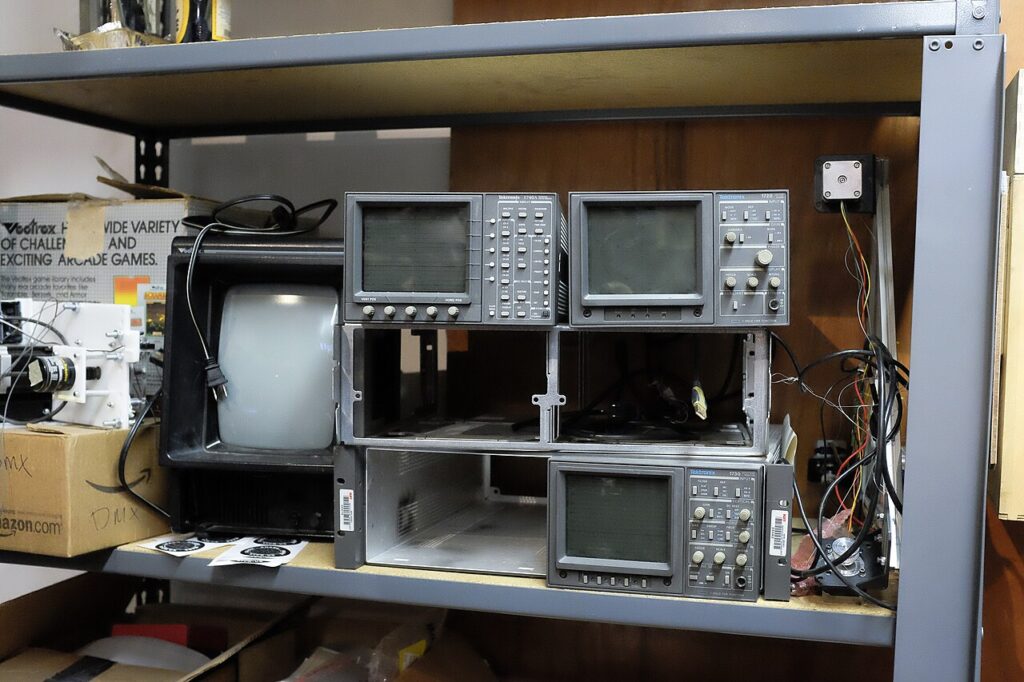
Colour grading also has a long hardware history. A 1930s three-strip Technicolor camera recorded colour on separate black-and-white negatives behind filters, according to its Commons description. Later, broadcast engineers watched the signal on waveform and vector monitors.
DaVinci Resolve photography: our own habits
The following points are our judgment, not claims from the sources:
- Download the free version and grade a few of your own RAW files before you change workflow.
- Check your camera’s RAW format and your export size against the Studio-only limits.
- Keep your original files and your Lightroom catalogue until you trust the result.
- Treat reviews from the beta period as early impressions, and read newer ones.
For related reading, see our guides to moody photography and to layers and masks in Photoshop.
What we removed
We removed the claims that photographers are abandoning Lightroom, that Resolve is the industry standard on named film titles, the hardware requirements, the teal-and-orange recipes, the film-emulation workflow and the section on commercial photographers. We could not source them, and the Photo page changes much of the workflow they described.
Sources and limits
- Blackmagic Design press release: Announces DaVinci Resolve 21 (14 April 2026)
- PetaPixel: DaVinci Resolve 21 officially released (3 June 2026)
- Engadget: Resolve 21 takes on Adobe Lightroom (14 April 2026)
- Newsshooter: Photo page preview at NAB 2026
- Adobe: Lightroom plan (1TB) pricing FAQ
- ACES Central: What is Academy ACES?
We rewrote this article on 10 November 2026. We did not run Resolve ourselves, and our research tools return summaries, so we relied on the press release and reviews. Software and prices change quickly, and several details come from the beta period. The three AI-generated illustrations are marked in their captions.