In 2025, smartphone photography tips have become more valuable than ever. With devices like the iPhone 16 Pro and Samsung Galaxy S25 Ultra pushing the boundaries of computational photography, the camera in your pocket now rivals professional equipment. Whether you're a social media creator, travel enthusiast, or simply someone who wants to capture life's moments beautifully, mastering your phone's camera capabilities has never been more accessible—or more important. This comprehensive guide will transform how you approach mobile photography, revealing professional techniques that work with the device you already own.

Understanding Modern Smartphone Camera Technology
Today's smartphone cameras represent a technological revolution. The iPhone 16 Pro features a 48MP main sensor with advanced computational photography algorithms, while Samsung's S25 Ultra boasts a sophisticated multi-lens system with AI-powered scene optimization. These aren't just incremental improvements—they're game-changers that democratize professional-quality photography.
Computational photography has fundamentally altered what's possible with mobile devices. Unlike traditional cameras that capture a single exposure, modern smartphones take multiple frames in milliseconds, merging them to create images with exceptional dynamic range, reduced noise, and enhanced detail. This technology works silently in the background, but understanding it helps you leverage your phone's full potential.1
The sensor size debate that once dominated photography discussions has become less relevant. While larger sensors still offer advantages, smartphone manufacturers compensate through multi-frame processing, advanced noise reduction, and intelligent HDR. According to research from the Society for Imaging Science and Technology, modern flagship phones can match or exceed the image quality of entry-level DSLRs in most lighting conditions.
Essential Smartphone Photography Tips for Beginners
Master Your Phone Camera Settings
The first step in mastering mobile photography is understanding your phone camera settings. Most users never venture beyond the default auto mode, missing out on powerful manual controls that can dramatically improve their images.
Start by exploring your camera app's Pro or Manual mode. Here, you'll find controls for ISO, shutter speed, white balance, and exposure compensation. ISO determines your sensor's sensitivity to light—lower values (100-400) produce cleaner images in bright conditions, while higher values (800-3200) help in low light but introduce grain. Shutter speed controls motion blur; faster speeds (1/500s or higher) freeze action, while slower speeds (1/30s or less) create artistic motion blur.2
White balance adjustment prevents those sickly yellow indoor shots or overly blue outdoor images. While auto white balance has improved significantly, manually setting it for your lighting conditions—daylight, cloudy, tungsten, or fluorescent—ensures accurate colors. This becomes particularly important when you're trying to achieve cinematic street photography aesthetics that dominate social media.
Composition Techniques That Transform Ordinary Shots
Great smartphone photography tips always emphasize composition over equipment. The rule of thirds remains the foundation—imagine your frame divided into nine equal sections by two horizontal and two vertical lines. Placing your subject at the intersections creates more dynamic, visually pleasing images than centering everything.
Most camera apps include a grid overlay to help with this. Enable it in your settings and practice placing key elements along these lines. Leading lines—roads, fences, architectural elements—draw viewers' eyes through your image, creating depth and movement. Look for natural frames within your scene: doorways, windows, or overhanging branches that focus attention on your subject.
Negative space, the empty area around your subject, prevents cluttered compositions and emphasizes your focal point. Don't feel obligated to fill every pixel. Sometimes the most powerful images feature a small subject surrounded by sky, water, or plain background. This technique works exceptionally well when discovering new destinations through street photography, where simplicity often conveys more than complexity.
Mastering iPhone Photography and Android Mobile Photography
While iPhone photography and Android mobile photography share fundamental principles, each platform offers unique advantages. Understanding these differences helps you maximize your specific device's capabilities.

iPhone Photography: Leveraging Apple's Ecosystem
The iPhone 16 Pro introduces ProRAW and ProRes video capabilities that give photographers unprecedented control. ProRAW captures more image data than standard JPEGs, allowing extensive editing without quality loss. Access it through Settings > Camera > Formats, then enable Apple ProRAW.
Apple's Photographic Styles feature lets you customize how your iPhone processes colors and tones while maintaining natural skin tones—a significant advantage over traditional filters. Unlike filters applied after capture, Photographic Styles work during the capture process, preserving more image data for later editing. The integration with the broader Apple ecosystem means your photos seamlessly sync across devices through iCloud, and the native Photos app offers surprisingly powerful editing tools.3
Android Excellence: Samsung, Google, and Beyond
Android's diversity is both its strength and challenge. Samsung's Galaxy S25 Ultra offers Expert RAW mode with extensive manual controls rivaling dedicated camera apps. Google Pixel devices excel at computational photography, with features like Night Sight and Magic Eraser that leverage Google's AI expertise.
Samsung's Single Take mode captures multiple photos and videos with different effects from one scene—perfect when you're unsure which approach works best. The Director's View feature shows feeds from all cameras simultaneously, letting you switch perspectives while recording video. These innovations demonstrate how mobile photography continues pushing creative boundaries.
For Android users, third-party camera apps like Lightroom Mobile, ProCam X, or Camera FV-5 unlock additional capabilities your stock app might not offer. These provide granular control over every aspect of exposure and focus, essentially turning your phone into a professional tool.
Smartphone Portrait Mode: Creating Professional Depth Effects
Smartphone portrait mode represents one of computational photography's most impressive achievements. By using depth mapping from multiple cameras or LiDAR sensors, phones simulate the shallow depth of field previously exclusive to large-sensor cameras with fast lenses.
To maximize portrait mode results, position your subject 2-8 feet away—too close or too far reduces the effect's accuracy. Ensure good lighting; portrait mode struggles in low light because it needs to distinguish your subject from the background clearly. Natural window light or open shade creates flattering results without harsh shadows.
Pay attention to edge detection. Hair, glasses, and complex backgrounds sometimes confuse the algorithm, creating unnatural blur boundaries. Simpler backgrounds and clear subject separation improve results dramatically. After capture, most phones let you adjust blur intensity—don't automatically accept the default. Sometimes subtle blur looks more natural than aggressive background obliteration.4
The techniques that make portrait mode shine also apply to traditional portrait photography that tells human stories, whether you're using a phone or professional camera. Understanding light, composition, and connection with your subject matters more than equipment.
Low-Light and Night Photography With Your Smartphone
Night mode has revolutionized smartphone photography tips for challenging lighting. When enabled, your phone captures multiple exposures over several seconds, then computationally combines them to create bright, detailed images impossible with single exposures.
For best results, keep your phone as steady as possible—lean against a wall, rest on a stable surface, or use a small tripod. Even slight movement during the multi-second capture degrades image quality. Most phones display a timer showing how long to hold still; this duration adjusts based on available light.
Don't use flash unless absolutely necessary. Smartphone flashes create harsh, unflattering light that destroys ambient atmosphere. Instead, embrace available light—streetlights, neon signs, candles—which adds character and mood to your images. If you need supplemental lighting, consider a small LED panel that provides continuous, adjustable illumination.
The principles that make smartphone night shots successful mirror those for capturing magic through night photography on vacation. Patience, stability, and understanding your light sources transform dark scenes into compelling images.
Essential Mobile Editing Apps for Post-Processing
Capturing the image is only half the creative process. Mobile editing apps have become incredibly sophisticated, offering professional-grade adjustments in intuitive interfaces designed for touchscreens.
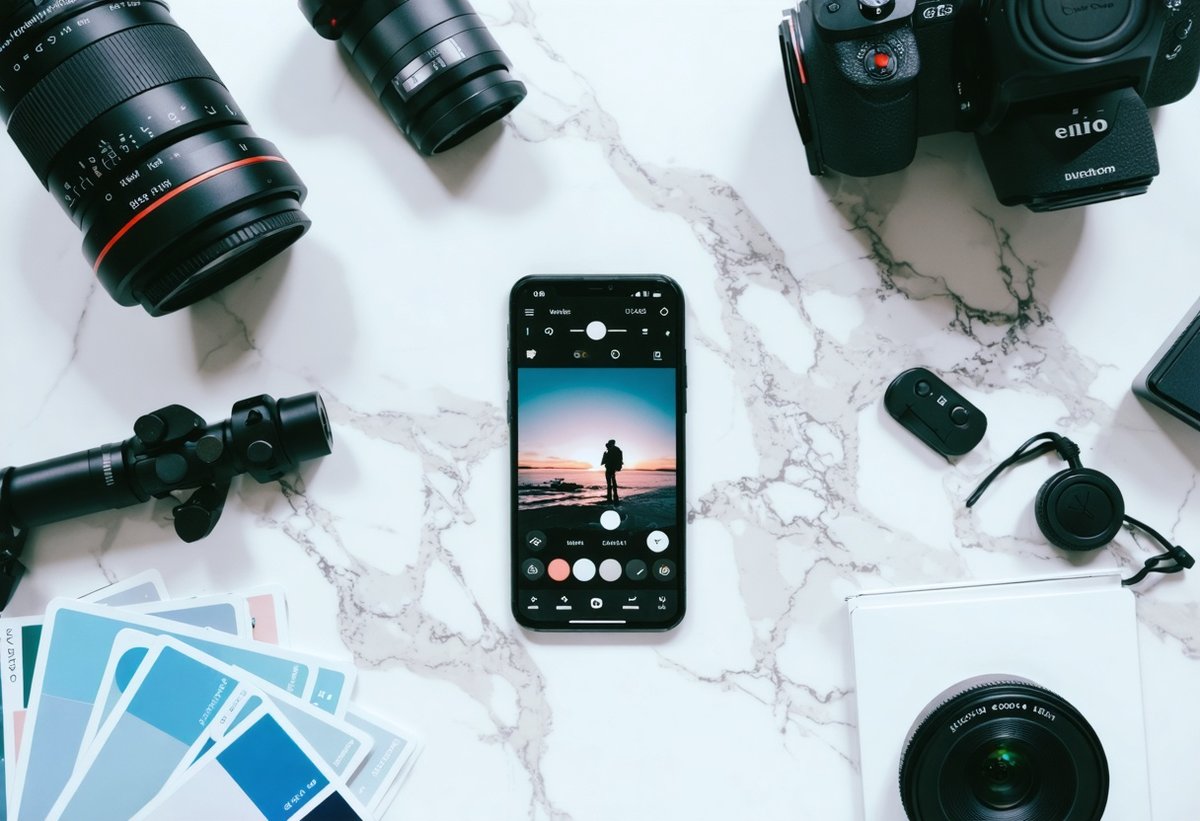
Adobe Lightroom Mobile
Lightroom Mobile leads the pack for serious mobile photographers. Its RAW editing capabilities, selective adjustments, and preset system provide desktop-level control on your phone. The free version offers substantial functionality, while the subscription unlocks advanced features like healing brush and cloud sync with desktop Lightroom.
Lightroom's curve adjustments let you fine-tune tonal ranges with precision impossible through simple sliders. The selective editing tools—radial filters, gradient filters, and brush adjustments—allow targeted modifications to specific image areas. This precision helps when you're refining images alongside AI photography tools without losing creative authenticity.5
Snapseed: Google's Powerful Free Editor
Snapseed deserves recognition as perhaps the best completely free editing app available. Its tools rival paid alternatives, with particularly excellent selective adjustments, perspective correction, and healing brush. The interface feels intuitive—swipe gestures control adjustments, making editing feel natural on mobile devices.
The Tune Image tool provides basic adjustments like exposure, contrast, and saturation. Details enhancement brings out texture without creating unnatural sharpening halos. The Drama filter, used subtly, adds punch to landscapes and architecture. Snapseed's non-destructive editing means you can always revisit and modify previous adjustments.
VSCO: Film-Inspired Aesthetics
VSCO built its reputation on film-emulation presets that create cohesive, aesthetically pleasing looks. Beyond presets, its manual editing tools offer precise control over HSL (hue, saturation, luminance) adjustments for individual colors. This granular control helps create signature styles that make your work recognizable.
The app's social features connect you with a community of mobile photographers, providing inspiration and feedback. VSCO's approach emphasizes artistic expression over social media metrics—you won't find likes or follower counts dominating the interface.
Advanced Smartphone Photography Techniques
Long Exposure and Light Trails
Creating long exposure effects requires either your phone's built-in mode (like iPhone's Live Photo long exposure) or third-party apps like Slow Shutter Cam or ProCam. These techniques transform moving water into silky smoothness and car lights into colorful trails.
Stability remains crucial—use a tripod or stable surface. Start with exposures of 1-3 seconds for waterfalls or streams, extending to 10-30 seconds for light trails on busy streets. Experiment with timing; rush hour provides more continuous light trails than sparse traffic.
Macro Photography With Your Phone
Recent flagship phones include dedicated macro modes that focus as close as 2-3 centimeters. This opens up an entire world of tiny subjects—insects, flowers, textures, and details invisible to casual observation.
Macro photography demands excellent lighting since you're working very close to subjects. Natural diffused light works beautifully, but you might need to reflect light into shadowed areas using white paper or a small reflector. Even slight camera movement shows dramatically at macro distances, so use burst mode and select the sharpest frame.
Panoramic Photography
Panorama mode stitches multiple images into expansive wide-angle shots perfect for landscapes and architecture. For best results, move your phone slowly and steadily, keeping the guide arrow centered. Maintain consistent distance from your subject—moving closer or farther while panning creates distortion.
Lock exposure and focus before starting by tapping and holding on your screen. This prevents the camera from readjusting mid-pan, which causes exposure banding across your final image. Panoramas work exceptionally well for subjects like capturing global culinary scenes where you want to show an entire market or restaurant interior.6
Common Smartphone Photography Mistakes to Avoid
Even armed with excellent smartphone photography tips, certain mistakes plague mobile photographers. Recognizing and correcting these elevates your work immediately.
Digital zoom degradation: Never use digital zoom. It simply crops and enlarges your image, destroying quality. Instead, move closer to your subject or crop during editing for better results. The optical zoom on multi-camera phones (2x, 3x, 5x) is fine—it uses different physical lenses.
Dirty lenses: Your phone lives in pockets and bags, accumulating fingerprints and dust. Clean your lens regularly with a microfiber cloth. This simple habit prevents the hazy, low-contrast look that plagues many smartphone photos.
Over-editing: Aggressive saturation, clarity, and HDR create unnatural images that scream "over-processed." Develop restraint. If you're unsure, reduce your adjustment by 25-50% from what initially looked good. Let your images breathe.
Ignoring light direction: Shooting directly into harsh sunlight creates silhouettes and blown highlights. Position yourself so light falls on your subject, or wait for better lighting conditions. The best light often occurs during golden hour—the hour after sunrise and before sunset.
Neglecting focus: Auto-focus works well but doesn't read your mind. Tap your screen to set focus on your intended subject, especially in complex scenes. This ensures sharpness where it matters and can also lock exposure to your preference.
Smartphone Photography Accessories Worth Considering
While your phone alone can create stunning images, certain accessories expand creative possibilities and solve common challenges.
Tripods and stabilizers: A compact phone tripod (like Joby GorillaPod or similar) enables long exposures, self-portraits, and stable video. Gimbal stabilizers create smooth, professional-looking video movement impossible handheld.
External lenses: Moment, Sandmarc, and other manufacturers offer clip-on lenses that genuinely expand your creative options. Wide-angle lenses capture more scene, telephoto lenses bring distant subjects closer, and macro lenses reveal tiny details. Quality matters—cheap lenses introduce distortion and reduce sharpness.
Portable lighting: Small LED panels like Lume Cube or Aputure AL-M9 provide adjustable, flattering light for portraits, product photography, and video. They're especially valuable when working in challenging lighting conditions.
ND filters: Neutral density filters reduce light entering your lens, enabling longer exposures in bright conditions. This creates motion blur effects in waterfalls, clouds, and crowds that add artistic impact to your images.7
Developing Your Unique Mobile Photography Style
Technical mastery provides the foundation, but developing a recognizable style sets your work apart. Your style emerges from consistent choices about subjects, composition, processing, and perspective.
Study photographers whose work resonates with you. Analyze what draws you to their images—color palettes, subject matter, composition approaches, or mood. This isn't about copying but understanding what speaks to you aesthetically.
Create personal presets in your editing app that reflect your aesthetic preferences. Consistency in processing helps establish visual coherence across your portfolio. Whether you prefer muted tones, vibrant colors, high contrast, or soft pastels, maintaining consistency makes your work immediately recognizable.
Specialize in subjects that genuinely interest you. Passionate photographers create more compelling work than those chasing trends. Whether you're drawn to architecture, street scenes, portraits, nature, or abstract details, depth in one area beats superficial coverage of everything.
The journey toward developing your aesthetic parallels creating your personal aesthetic on Instagram, where visual consistency and authentic expression build engaged audiences.
The Future of Smartphone Photography in 2025 and Beyond
Computational photography continues evolving rapidly. Current trends suggest several exciting developments on the horizon that will further democratize professional-quality imaging.
AI-powered subject recognition and scene optimization will become more sophisticated, automatically applying optimal settings for specific situations. We're already seeing this with features that recognize pets, food, documents, and landscapes, adjusting processing accordingly.
Variable aperture systems, currently limited to a few flagship models, will likely become standard. This hardware innovation allows phones to physically adjust light intake, providing better low-light performance and genuine depth-of-field control.
Sensor technology improvements continue pushing low-light capabilities. Larger pixels, improved noise reduction algorithms, and better lens coatings mean phones will eventually match or exceed dedicated cameras in all lighting conditions.
The integration of AI extends beyond capture to editing, with tools that understand image content and suggest or automatically apply adjustments. While some photographers resist these developments, they represent powerful tools when used thoughtfully—much like the discussion around maintaining creative authenticity while leveraging technology advances.
According to research from the Camera & Imaging Products Association, smartphone cameras have fundamentally disrupted the photography industry, with shipments of dedicated cameras declining as mobile photography quality improves. This trend shows no signs of reversing.8
Frequently Asked Questions About Smartphone Photography
What are the most important smartphone photography tips for beginners?
The most crucial smartphone photography tips for beginners include: cleaning your lens regularly, learning to tap your screen to set focus and exposure, avoiding digital zoom, using natural light whenever possible, applying the rule of thirds for composition, and keeping your phone steady during capture. Master these fundamentals before exploring advanced techniques. Additionally, shoot in your phone's highest quality setting and experiment with your camera's manual or pro mode to understand how different settings affect your images.
Should I shoot in RAW format on my smartphone?
Shooting in RAW format provides maximum editing flexibility by capturing more image data than JPEG. However, RAW files are significantly larger and require processing—they won't look as good straight from the camera since they lack the computational processing applied to JPEGs. If you enjoy editing and want maximum control over your final image, RAW is worthwhile. For casual shooting where you want great results immediately, your phone's standard format (which already includes sophisticated processing) works excellently. Many photographers shoot RAW for important images and JPEG for everyday snapshots.
How can I improve low-light smartphone photography?
Improving low-light mobile photography requires several approaches: enable your phone's night mode, which captures and combines multiple exposures; keep your phone absolutely steady or use a tripod; avoid using flash and instead embrace available light sources; increase exposure compensation if your image appears too dark; and clean your lens thoroughly since smudges dramatically impact low-light performance. Consider third-party camera apps that offer manual ISO and shutter speed control for even more flexibility. Remember that some grain in low-light images is natural and often preferable to the artificial smoothness of aggressive noise reduction.
What's the difference between optical and digital zoom on smartphones?
Optical zoom uses different physical camera lenses on your phone (like the 2x or 3x telephoto lens on multi-camera phones) to magnify your subject without quality loss. Digital zoom simply crops and enlarges the image from your main sensor, significantly degrading quality. Always use optical zoom when available, and avoid digital zoom entirely—you'll get better results by moving closer to your subject or cropping during editing. Some phones offer a hybrid approach, combining optical zoom with computational enhancement for intermediate zoom levels, which provides better quality than pure digital zoom.
Which mobile editing apps are best for smartphone photography?
The best mobile editing apps depend on your needs and experience level. Adobe Lightroom Mobile offers professional-grade tools with RAW editing, selective adjustments, and preset systems—ideal for serious mobile photographers. Snapseed provides excellent free editing with intuitive controls and powerful tools like healing brush and perspective correction. VSCO excels at creating cohesive aesthetic looks through film-inspired presets. For quick, AI-powered enhancements, apps like Photoshop Express or Google Photos' built-in editor work well. Most photographers benefit from having both a comprehensive editor (Lightroom or Snapseed) and a quick-edit tool for social media sharing.
Can smartphone photography really match DSLR or mirrorless camera quality?
In optimal conditions—good lighting, moderate distances, and typical viewing sizes (phone screens, social media)—modern flagship smartphones produce images that rival entry-level to mid-range dedicated cameras. However, dedicated cameras maintain advantages in extreme low light, fast-moving subjects, very long telephoto work, and situations requiring extensive cropping or large prints. The gap continues narrowing as computational photography advances. For most people's needs—social media, family photos, travel documentation—smartphone cameras now provide entirely sufficient quality. Professional photographers still prefer dedicated cameras for critical work, but increasingly use phones for personal projects and behind-the-scenes content.
Conclusion: Your Journey in Mobile Photography Mastery
Mastering smartphone photography tips transforms the device you carry everywhere into a powerful creative tool. The technical capabilities of modern phones—from computational photography to sophisticated manual controls—provide everything needed to create compelling images. But technology alone doesn't make great photographs.
The most important element remains your creative vision: recognizing compelling light, finding interesting subjects, understanding composition, and developing a unique perspective. These fundamentals apply whether you're shooting with a smartphone or a professional camera system. Your phone's advantage lies not in matching every capability of dedicated cameras, but in always being available when inspiration strikes.
Start implementing these smartphone photography tips today. Experiment with your phone camera settings, explore manual controls, practice composition techniques, and develop your editing workflow. Join online communities, study work you admire, and most importantly, shoot consistently. Photography improves through practice more than any other factor.
The democratization of photography through smartphones means anyone with dedication can create professional-quality images. Your journey doesn't require expensive equipment—just curiosity, persistence, and willingness to learn. Whether you're documenting travels, building a social media presence, or simply capturing life's moments more beautifully, these techniques provide the foundation for mobile photography mastery in 2025 and beyond.
Now pick up your phone, head outside, and start shooting. The best camera is the one you have with you, and the best time to begin improving your photography is right now.
- Computational photography combines traditional optical photography with digital processing algorithms to enhance image quality beyond what hardware alone can achieve. Major smartphone manufacturers now dedicate entire research teams to these technologies.
- The relationship between ISO, shutter speed, and aperture (which is fixed on most smartphones) forms the exposure triangle—the fundamental principle of photography that applies equally to phones and professional cameras.
- According to Apple's technical documentation, ProRAW files combine the benefits of RAW format with Apple's computational photography, including Deep Fusion and Smart HDR processing.
- Portrait mode uses machine learning algorithms trained on millions of images to distinguish subjects from backgrounds. Apple's implementation also analyzes facial features to apply subtle lighting adjustments that enhance portraits.
- According to Adobe's product documentation, Lightroom Mobile uses the same image processing engine as the desktop version, ensuring consistent results across platforms.
- Panoramic photography works by capturing overlapping images that software stitches together. Modern smartphones use accelerometer and gyroscope data to guide users and ensure proper overlap for seamless stitching.
- Neutral density filters work like sunglasses for your camera, reducing light intensity without affecting color. They're measured in stops—ND8 reduces light by 3 stops, ND64 by 6 stops, and so on.
- CIPA statistics show that digital camera shipments peaked in 2010 at over 120 million units annually, declining to under 9 million by 2022 as smartphone cameras improved dramatically.