Setting up professional product photography home doesn't require a massive budget or a commercial studio. As an Amazon seller or small business owner, you can create stunning, conversion-driving product images right from your living room, spare bedroom, or garage. The e-commerce explosion has democratized product photography, making it essential for entrepreneurs to master DIY techniques that rival expensive studio shoots. Whether you're launching your first Amazon FBA product or scaling your Etsy shop, understanding how to capture professional-quality images at home is no longer optional—it's a competitive necessity.
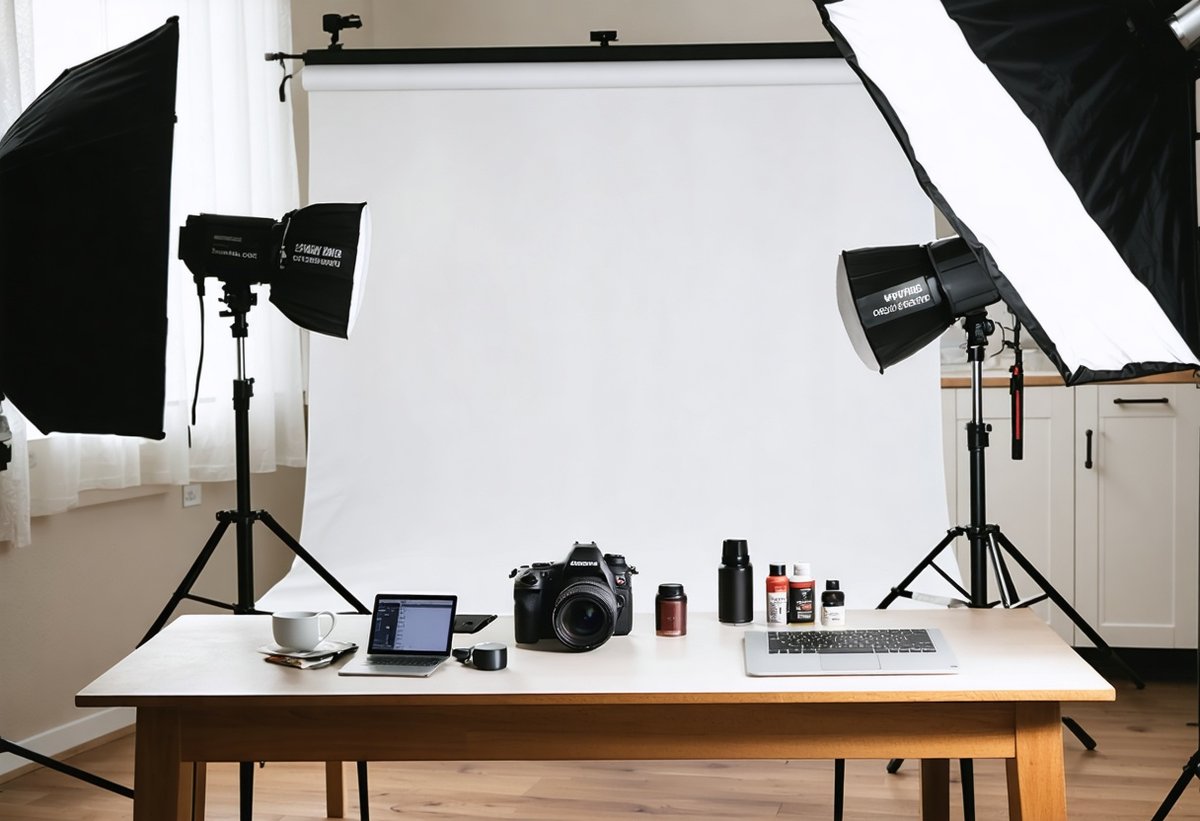
The beauty of modern product photography home setups is their accessibility. With smartphone cameras rivaling DSLRs in quality and affordable lighting equipment flooding the market, the barrier to entry has never been lower. This comprehensive guide will walk you through everything you need to know about creating a home studio that produces Amazon-ready product photos, from equipment selection to advanced lighting techniques that make your products irresistible to potential buyers.
Why DIY Product Photography Matters for E-Commerce Success
Product images are the silent salespeople of your online business. According to research from the Shopify E-commerce Blog, high-quality product photos can increase conversion rates by up to 30%. When customers can't physically touch or examine your products, your photographs become the primary decision-making factor. Amazon's own data shows that listings with professional images receive 5-10 times more clicks than those with amateur photos.1
The cost differential between professional studio photography and DIY product photography is staggering. Professional product photographers typically charge $25-$150 per image, which can quickly escalate to thousands of dollars for a modest product catalog. By mastering product photography home techniques, you're not just saving money—you're gaining creative control, faster turnaround times, and the ability to shoot unlimited variations for A/B testing. This flexibility is invaluable when you need to quickly update seasonal imagery or respond to market trends.
Beyond cost savings, having an in-house photography capability allows you to maintain consistency across your brand. Much like developing your personal aesthetic on Instagram, creating a recognizable visual style for your product photography builds brand recognition and customer trust. When shoppers see your distinctive photography style across multiple products, it reinforces professionalism and attention to detail.
Essential Equipment for Your Home Studio Setup
Camera Options: From Smartphones to DSLRs
The good news for budget-conscious sellers is that you don't need a $3,000 camera to create professional Amazon product photos. Modern smartphones, particularly iPhone 13 and newer or Samsung Galaxy S21+ models, produce images that meet Amazon's technical requirements and look stunning on product listings. The key is understanding your camera's capabilities and limitations.2
If you're ready to invest in dedicated camera equipment, mirrorless cameras like the Sony Alpha a6400 ($900) or entry-level DSLRs like the Canon EOS Rebel T7i ($750) offer excellent value for product photography. These cameras provide manual controls crucial for consistent lighting and depth of field, along with the ability to shoot in RAW format for maximum editing flexibility. Pair them with a 50mm f/1.8 lens (around $125-200) for beautiful bokeh effects in lifestyle shots or a 60mm macro lens for detailed close-ups of textures and small products.
Regardless of your camera choice, a sturdy tripod is non-negotiable for product photography home setups. Camera shake is the enemy of sharp product images, and a tripod ensures consistency across multiple shots. Look for models with adjustable height and a center column that can be inverted for overhead shots—essential for flat lay photography. Budget-friendly options like the AmazonBasics 60-inch tripod ($25) work perfectly for most home setups.
Lighting Equipment That Won't Break the Bank
Product photography lighting is where amateur photos transform into professional-looking images. Natural window light can work beautifully for certain products, but it's inconsistent, time-dependent, and difficult to control. Investing in artificial lighting gives you the consistency and flexibility needed for efficient product photography home workflows.
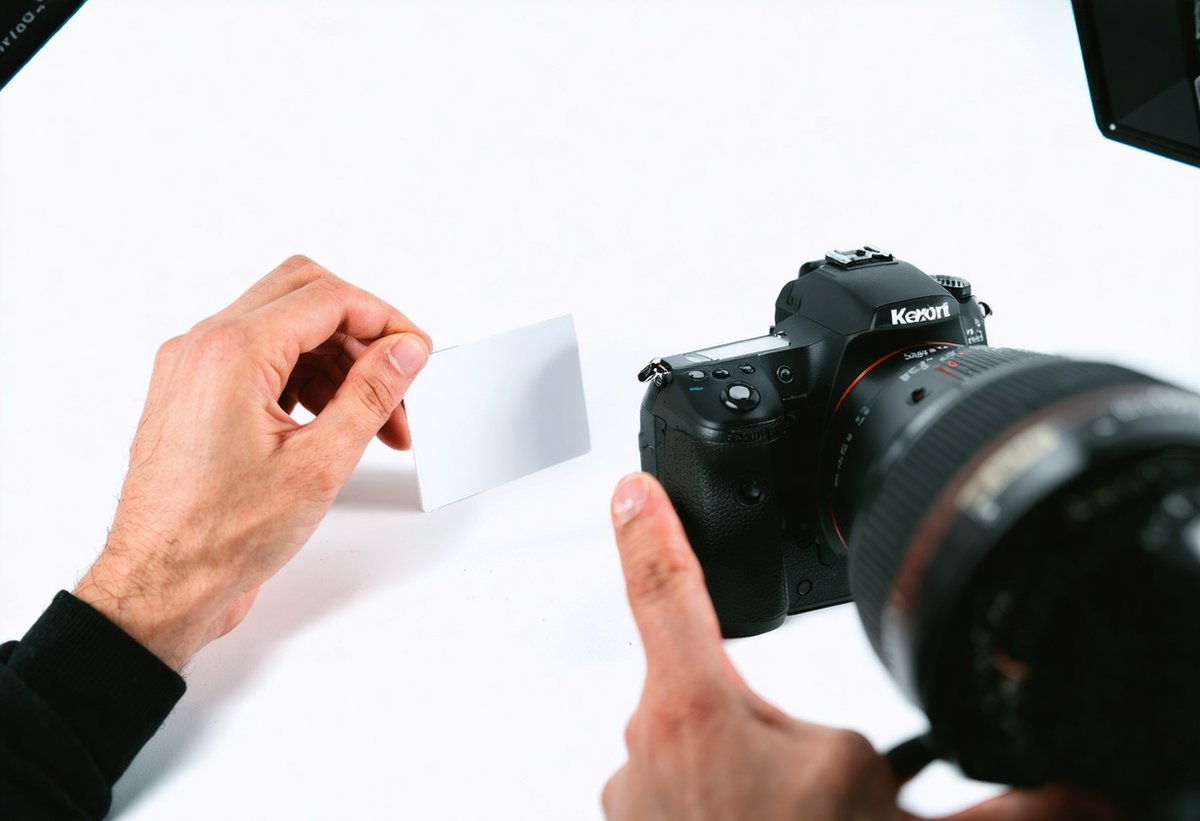
For beginners, a two-light continuous lighting kit (around $80-150) provides excellent results without the complexity of flash photography. Look for LED panels with adjustable color temperature (5500K-6500K for daylight-balanced light) and brightness controls. Continuous lights allow you to see exactly how shadows and highlights fall on your product in real-time, making them ideal for learning. Brands like Neewer and LimoStudio offer affordable kits that include light stands, softboxes, and carrying cases.
As you advance, consider adding a third light for background illumination or rim lighting effects. The classic three-point lighting setup—key light (main light source), fill light (softens shadows), and back light (separates subject from background)—is the foundation of professional product photography. Understanding lighting principles is as crucial as mastering photography in marketing and e-commerce, where visual impact directly correlates with sales performance.3
Backgrounds and Surfaces for White Background Photography
Amazon's main product image requirements mandate a pure white background (RGB 255, 255, 255), which can be challenging to achieve without the right setup. While you can remove backgrounds in post-processing using AI photography tools and generative fill, shooting on a proper white background saves significant editing time and produces cleaner results.
A sweep (seamless background that curves from horizontal to vertical) is the professional standard for white background photography. You can purchase professional white seamless paper rolls (9 feet wide) for around $30-50, or create a DIY version using white poster board or foam core for smaller products. The key is ensuring the background is evenly lit to eliminate shadows and achieve that pure white requirement. Some photographers slightly overexpose the background while properly exposing the product, then adjust in post-processing.
For the shooting surface, consider these options based on your product type: white acrylic sheets create beautiful reflections for jewelry and small electronics; white fabric (muslin or cotton) works well for soft goods and apparel; and textured surfaces like wood or marble add visual interest to lifestyle shots (used for secondary Amazon images). Building a small collection of surfaces allows you to match the background to your product's aesthetic and target audience expectations.
Setting Up Your Home Studio Space
Choosing the Right Room and Layout
The ideal space for DIY product photography doesn't need to be large, but it should offer certain characteristics. A spare bedroom, corner of a garage, or even a dedicated section of your living room can work perfectly. Look for spaces with: neutral-colored walls (white, gray, or beige) that won't cast color onto your products; enough room to position lights 3-6 feet from your subject; and minimal direct sunlight that could interfere with your artificial lighting setup.
Your home studio setup should be organized for efficiency. Create distinct zones: a shooting area with your background and lighting, a staging area where you prepare products, and a computer workstation for immediate review and editing. This workflow organization dramatically increases your productivity, allowing you to shoot dozens of products in a single session. Many successful Amazon sellers dedicate one day per week to product photography, batching their shoots to maintain consistency and efficiency.
Consider light control in your chosen space. While you don't need a completely dark room, being able to control ambient light helps maintain consistency. Blackout curtains or shades allow you to shoot at any time of day without worrying about changing natural light conditions. This control is essential when you need to match product photos shot weeks or months apart—critical for maintaining visual consistency across your catalog.
Light Positioning for Flattering Product Shots
The positioning of your product photography lighting determines whether your images look amateur or professional. Start with your key light positioned at a 45-degree angle to your product, slightly above camera height. This creates natural-looking shadows that give dimension and depth. The fill light should be positioned on the opposite side at a lower intensity (about half the power of your key light) to soften shadows without eliminating them completely.4
For reflective products like glassware, electronics, or jewelry, diffused lighting is essential to prevent harsh reflections and hot spots. Softboxes, umbrellas, or DIY diffusion materials (white shower curtains work surprisingly well) spread light evenly and create soft, wraparound illumination. Some photographers use a light tent or shooting cube—a translucent fabric box that completely surrounds the product with diffused light. While these can work well for small items, they sometimes create overly flat lighting that lacks dimension.
Experiment with back lighting to create separation between your product and background. Position a light behind and slightly to the side of your product to create a subtle rim light that makes the product "pop" off the background. This technique is particularly effective for products with interesting silhouettes or transparent elements. Just as photographers master night photography lighting techniques, product photographers must understand how different light positions affect their subject's appearance.
Camera Settings for Professional Amazon Product Photos
Aperture, Shutter Speed, and ISO Explained
Understanding the exposure triangle—aperture, shutter speed, and ISO—is fundamental to creating professional e-commerce photography tips. For product photography home setups, you'll typically shoot in manual mode or aperture priority mode to maintain consistent results across your entire shoot.
Aperture (f-stop) controls depth of field and how much light enters your camera. For products where you want everything in sharp focus (most Amazon main images), use f/8 to f/11. This narrower aperture ensures front-to-back sharpness, critical when customers zoom in to examine product details. For lifestyle shots where you want a blurred background (bokeh effect), open up to f/2.8 to f/4. The creative use of depth of field can make secondary images more engaging and emotionally compelling.
Shutter speed determines how long your camera's sensor is exposed to light. Since you're using a tripod for product photography, you don't need to worry about camera shake, allowing you to use slower shutter speeds (1/60th to 1/125th of a second typically works well). If you're shooting products with reflective surfaces, slower shutter speeds with continuous lighting prevent the banding issues that can occur with faster speeds and LED lights.5
ISO measures your camera's sensitivity to light. For product photography with controlled lighting, always use the lowest ISO your camera allows (typically ISO 100 or 200). Low ISO produces the cleanest images with minimal noise or grain, essential for the crisp, detailed product photos that Amazon and customers expect. If your images are too dark at ISO 100, add more light rather than increasing ISO—your lighting setup should provide sufficient illumination.
White Balance for Accurate Colors
Color accuracy can make or break your Amazon listing. Customers who receive products that don't match the colors shown in your photos will leave negative reviews and initiate returns. Setting proper white balance ensures your product colors are rendered accurately and consistently.
If you're shooting in RAW format (highly recommended), you can adjust white balance in post-processing without quality loss. However, setting it correctly in-camera provides a better starting point and speeds up your editing workflow. For most product photography home setups with LED continuous lights, set your white balance to 5500K (daylight) or use a custom white balance by photographing a gray card under your lighting setup.
Avoid auto white balance for product photography—it can shift between shots, creating inconsistencies that are time-consuming to correct in editing. Consistency is paramount when shooting multiple products or variations of the same product. The Nikon Learn & Explore section offers excellent technical guidance on white balance principles that apply across all camera brands.
Composition Techniques for E-Commerce Photography
Rule of Thirds and Product Placement
While Amazon's main product image requires the product to fill at least 85% of the frame on a pure white background, your secondary images offer creative opportunities to apply composition principles. The rule of thirds—dividing your frame into a 3x3 grid and placing key elements along the lines or intersections—creates visually balanced, engaging images that draw the eye naturally.
For lifestyle shots showing your product in use, position the product at a rule of thirds intersection rather than dead center. This creates negative space that can accommodate text overlays for social media or advertising, making your product photography home images more versatile across marketing channels. Leave space in the direction your product is "facing" or "moving" to create visual flow and context.
Consider shooting from multiple angles to give customers a complete understanding of your product. The most effective Amazon listings include: a straight-on hero shot (main image), 45-degree angle view showing dimension, close-ups highlighting texture and quality, scale reference shots showing size, and lifestyle images demonstrating use. This comprehensive approach reduces customer uncertainty and increases conversion rates significantly.
Styling and Props for Context
Strategic use of props and styling elements helps customers envision your product in their lives, but restraint is key—props should support, not distract from, your product. Choose props that complement your product's color palette and aesthetic, provide scale reference, or demonstrate functionality without overwhelming the main subject.
For example, if you're selling kitchen gadgets, photograph them alongside fresh ingredients or finished dishes they helped create. Selling phone accessories? Show them with a smartphone (ensuring it's a current model customers recognize). Apparel benefits from lifestyle shots showing fit and drape on a model or dress form, supplementing the flat lay images required for Amazon main listings.
The principles of effective product styling share commonalities with culinary photography, where context and composition work together to create appetite appeal—in product photography, you're creating "purchase appeal." Keep your styling consistent across your product line to build brand recognition and professional credibility.6
Shooting Techniques for Different Product Types
Reflective and Transparent Products
Glassware, jewelry, electronics, and other reflective or transparent products present unique challenges in DIY product photography. These items can reflect your lights, camera, and even you—the photographer—creating distracting elements that undermine professionalism. The solution lies in controlling reflections through strategic lighting and diffusion.
For transparent glass products, backlighting is your friend. Position a light behind the product to illuminate it from within, creating a luminous quality that showcases transparency while defining edges. Combine this with diffused side lighting to add dimension and prevent the product from appearing flat. A light tent can work well for small glass items, creating soft, wraparound illumination that minimizes harsh reflections.
Reflective surfaces like polished metal or glossy plastics require a different approach. Large diffusion sources close to the product create soft, even reflections that look intentional rather than distracting. Some photographers construct a "product photography cave" using large white foam boards positioned around the product, with lights positioned outside this enclosure. The foam boards reflect soft, diffused light onto the product while blocking direct reflections of the light sources themselves.
For jewelry photography, consider investing in a macro lens that allows extreme close-ups revealing detail and craftsmanship. Stack multiple exposures at different focus points and blend them in post-processing (focus stacking) to achieve front-to-back sharpness that's impossible to capture in a single shot at high magnification. This advanced technique produces the razor-sharp jewelry photos seen on professional e-commerce sites.
Apparel and Soft Goods
Clothing, fabric products, and soft goods require special handling to showcase their texture, drape, and fit. Flat lay photography works well for Amazon's main image requirement—lay the garment on a clean white surface, smooth out wrinkles, and shoot from directly overhead. Use pins or clips (hidden from view) to create shape and dimension, making flat garments appear more three-dimensional.
For secondary images, consider these approaches: mannequin or dress form shots showing fit and shape; ghost mannequin technique where you remove the mannequin in post-processing for a floating garment effect; hanger shots for a retail store aesthetic; and lifestyle images with models wearing the product. Each approach has advantages—mannequins are cost-effective and consistent, while model shots create emotional connection but require more resources.
Pay special attention to fabric texture in your product photography lighting setup. Cross-lighting (lights positioned at opposite 45-degree angles) emphasizes texture and weave, important for showcasing quality. For delicate fabrics like silk or satin, softer lighting prevents hot spots and preserves the material's subtle sheen. Steam or iron garments before shooting—wrinkles are amplified in photographs and signal poor quality to potential buyers.
Food and Beverage Products
Food photography for e-commerce shares techniques with editorial food photography but with product-focused requirements. Your goal is making the food look fresh, appetizing, and accurately representative of what customers will receive. Natural-looking lighting is essential—harsh, direct light creates unappealing shadows and highlights on food surfaces.
Diffused side lighting or window light creates the soft shadows and highlights that make food look dimensional and appealing. A reflector (white foam board or professional reflector) opposite your main light source fills in shadows without creating additional light sources that complicate the scene. Shoot slightly from above at a 45-degree angle for most food products, as this mimics the natural viewing angle and shows both the top and front of the product.
For packaged food products, ensure labels are perfectly aligned and readable, with no distracting reflections on plastic packaging. For prepared food (if you're selling meal kits, baked goods, or similar), photograph the product fresh and at its visual peak—food photography is time-sensitive. Consider using food styling techniques like brushing oil on vegetables for sheen, using fresh herbs for color pops, and strategic garnishing that enhances without misrepresenting the actual product.
Post-Processing and Editing for Amazon Requirements
Essential Editing Software and Tools
Post-processing transforms good product photography home images into great ones that drive conversions. The industry standard is Adobe Photoshop and Lightroom, offering comprehensive tools for everything from basic adjustments to advanced compositing. The Photography Plan ($9.99/month) includes both applications and is worthwhile for serious sellers. Lightroom excels at batch processing and color correction, while Photoshop handles detailed retouching and background removal.
Free alternatives like GIMP (Photoshop alternative) and Darktable (Lightroom alternative) provide robust editing capabilities without subscription costs. For background removal specifically, tools like Remove.bg use AI to automatically isolate products from backgrounds with impressive accuracy. Many sellers combine free AI tools with basic editing software to create a cost-effective workflow that produces professional results.
The integration of AI photography tools has revolutionized product photography editing. Features like content-aware fill, AI-powered background removal, and automated color correction significantly reduce editing time. However, as discussed in our exploration of AI photography and creative integrity, it's important to use these tools to enhance rather than misrepresent your products—accuracy builds trust and reduces returns.7
Creating Pure White Backgrounds
Achieving Amazon's required pure white background (RGB 255, 255, 255) is often the most challenging aspect of white background photography for beginners. Even if you shoot on a white background, it rarely appears as pure white in-camera due to shadows and lighting variations. Post-processing is essential to meet Amazon's specifications.
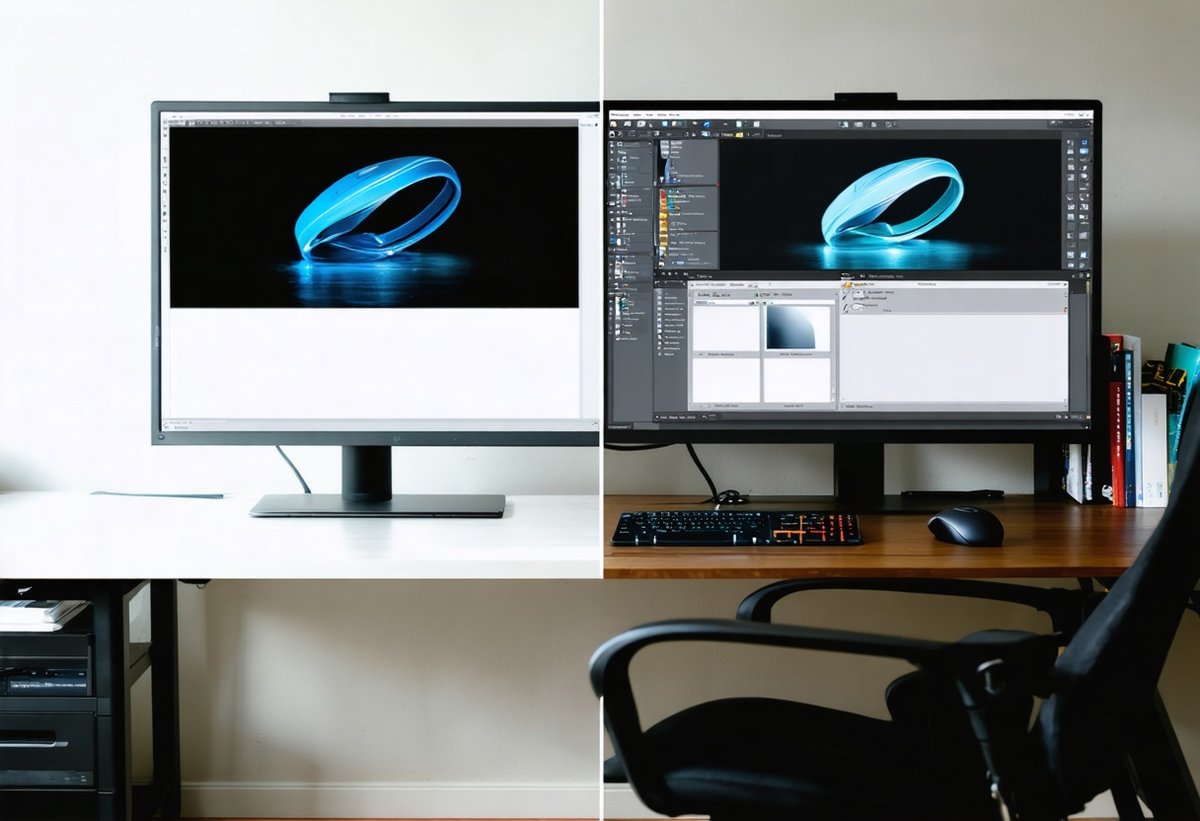
In Photoshop, the most efficient method is using the Pen Tool to create a precise selection around your product, then inverting the selection and filling the background with pure white. This manual approach provides the cleanest edges and most professional results, though it requires practice to master. Alternatively, use the Magic Wand or Quick Selection tools for products with clear edges, refining the selection with the Select and Mask feature for smooth, natural-looking cutouts.
For batch processing multiple products, create Photoshop actions that automate repetitive steps like levels adjustment, curves adjustment to brighten backgrounds, and sharpening. This workflow efficiency is crucial when managing large product catalogs. Some sellers outsource background removal to services like Pixelz or offshore editing services, paying $1-3 per image for professional results—still far cheaper than studio photography.
Color Correction and Retouching
Color accuracy is non-negotiable in e-commerce photography tips—misrepresented colors lead to returns and negative reviews. Start with proper white balance in-camera, then fine-tune in post-processing using Lightroom's temperature and tint sliders or Photoshop's color balance adjustment layers. Compare your edited images to the actual product under neutral lighting to ensure accuracy.
Basic retouching for product photography includes removing dust spots, smoothing minor imperfections in the product surface, and ensuring consistency across product variations. Use the Clone Stamp or Healing Brush tools for spot removal, working on duplicate layers so you can adjust opacity if the effect appears too strong. The goal is presenting your product in its best light while maintaining honesty about its actual appearance.
Sharpening is the final step in your editing workflow, applied after all other adjustments. Use Photoshop's Smart Sharpen filter or Lightroom's sharpening panel to enhance detail and crispness. Amazon's zoom feature means customers will examine your products closely—proper sharpening ensures details remain clear at high magnification. However, avoid over-sharpening, which creates unnatural halos and artifacts that undermine professionalism.
Common Mistakes to Avoid in DIY Product Photography
Lighting Errors That Ruin Product Photos
The most common mistake in product photography home setups is insufficient or poorly positioned lighting. Using only one light source creates harsh shadows that obscure product details and look amateurish. Always use at least two lights (key and fill) to create dimensional, professional-looking images. Another frequent error is positioning lights too close to the product, creating hot spots and uneven illumination—maintain a distance of 3-6 feet for most setups.
Mixing light sources with different color temperatures creates color cast issues that are difficult to correct in post-processing. If you're using artificial lights, turn off overhead room lights and close curtains to eliminate competing light sources. Consistency in lighting setup across all product shots ensures your catalog has a cohesive, professional appearance that builds brand credibility.
Neglecting to use diffusion materials is another critical mistake. Direct, hard light creates unflattering shadows and highlights, particularly on reflective or textured products. Softboxes, umbrellas, or DIY diffusion solutions (white fabric, shower curtains, or parchment paper) transform harsh light into soft, flattering illumination that showcases products beautifully. The investment in basic diffusion equipment pays immediate dividends in image quality.
Composition and Framing Mistakes
Failing to fill the frame adequately is a common error that makes products appear small and insignificant. Amazon requires main images to fill at least 85% of the frame—this isn't just a technical requirement but a psychological one. Larger product representation creates stronger visual impact and allows customers to examine details. Zoom in closer or use a longer focal length to properly fill the frame without distorting product proportions.
Inconsistent angles and perspectives across product variations confuse customers and look unprofessional. If you're selling the same product in multiple colors or sizes, photograph them all from identical angles with identical lighting setups. This consistency allows customers to focus on the differences that matter (color, size) rather than being distracted by photographic variations that suggest different products.
Cluttered backgrounds in lifestyle shots compete with your product for attention. While props and context are valuable, they should never overwhelm the main subject. Apply the principle of simplicity—remove any element that doesn't actively support your product's story or value proposition. The viewer's eye should immediately gravitate to your product, with supporting elements providing context without distraction.
Technical Errors and Quality Issues
Shooting without a tripod is perhaps the most fundamental mistake in product photography home setups. Even slight camera shake creates soft, blurry images that fail Amazon's quality standards and erode customer confidence. A tripod also ensures consistency in framing across multiple products, streamlining your workflow and post-processing. There's simply no legitimate reason to hand-hold your camera for product photography.
Using incorrect camera settings, particularly high ISO in well-lit conditions, introduces unnecessary noise and grain that degrades image quality. Always use your camera's base ISO (typically 100 or 200) for product photography. If images are too dark, add more light rather than increasing ISO. Similarly, shooting at very wide apertures (f/1.8-2.8) for main product images creates shallow depth of field where parts of the product are out of focus—use f/8-f/11 for front-to-back sharpness.
Neglecting to shoot in RAW format limits your editing flexibility and quality potential. RAW files contain significantly more image data than JPEGs, allowing greater latitude for exposure correction, color adjustment, and highlight/shadow recovery. While RAW files are larger and require processing, the quality advantages are substantial. Most modern cameras and even some smartphones offer RAW shooting capabilities—enable this feature for maximum editing flexibility.8
Optimizing Your Workflow for Efficiency
Batch Shooting and Processing
Efficiency separates successful Amazon sellers from those who struggle with product photography home demands. Rather than photographing products individually as needed, implement batch shooting sessions where you photograph multiple products in one setup. This approach amortizes setup time across many products and ensures consistency in lighting and settings. Dedicate a half-day or full day to photography, preparing all products in advance and shooting systematically through your queue.
Create a photography checklist that ensures you capture all necessary angles and variations for each product: main white background shot, 45-degree angle view, detail shots, scale reference, lifestyle context, and any product-specific images (opened packaging, size comparisons, etc.). Working from a checklist prevents the frustration of discovering you missed a critical shot after you've already packed away your studio setup.
In post-processing, develop a consistent editing workflow and create presets or actions that automate repetitive tasks. Lightroom presets can apply your standard color corrections and adjustments to entire batches of images with one click, while Photoshop actions can automate background removal, sharpening, and export settings. This automation reduces editing time from 10-15 minutes per image to 2-3 minutes, dramatically improving your productivity as your catalog grows.
File Organization and Naming Conventions
As your product catalog expands, systematic file organization becomes essential for sanity and efficiency. Develop a consistent folder structure that organizes images by product category, SKU, or shoot date—whatever makes sense for your business model. Within each product folder, separate RAW files, edited JPEGs, and different image variations (main, lifestyle, detail shots) for easy retrieval.
Implement a logical file naming convention that includes relevant information: product SKU, color/variation, image type, and version number. For example: "SKU12345-Blue-Main-v2.jpg" immediately tells you everything about that file. This organization prevents the common scenario of hunting through hundreds of similarly named files trying to locate a specific image. Consider using digital asset management software like Adobe Bridge or specialized e-commerce tools as your catalog grows beyond a few dozen products.
Back up your product photography files religiously—these images are business-critical assets. Implement a 3-2-1 backup strategy: three copies of your files, on two different media types (external hard drive and cloud storage), with one copy stored off-site. Services like Backblaze, Google Drive, or Dropbox provide affordable cloud backup that protects against hardware failure or disaster. Losing your product photography library would require reshooting everything—an expensive and time-consuming setback that proper backup prevents.
Advanced Techniques for Competitive Advantage
360-Degree Product Photography
Interactive 360-degree product views significantly increase engagement and conversion rates by allowing customers to examine products from all angles. While this technique sounds complex, it's achievable in a home studio setup with modest additional equipment. You'll need a motorized turntable (available for $50-200) that rotates your product in precise increments, and software to stitch the images into an interactive viewer.
Set up your product on the turntable with consistent lighting that illuminates all sides evenly as it rotates. Configure your camera on a tripod in a fixed position, then trigger the shutter as the turntable rotates through 24-36 positions (depending on desired smoothness). Specialized software like Sirv, WebRotate 360, or even free tools like Hugin can compile these images into interactive 360-degree viewers that integrate into Amazon listings or your own website.
The competitive advantage of 360-degree photography is substantial—studies show these interactive views can increase conversion rates by 10-40% compared to static images alone. While not every product justifies this additional effort, high-value items or products where customers need to examine all sides (electronics, collectibles, furniture) benefit tremendously from this immersive viewing experience.
Lifestyle and Contextual Photography
While Amazon's main image must be a clean product shot on white background, secondary images offer opportunities for lifestyle photography that creates emotional connection and demonstrates product benefits. These contextual images answer the question "How will this product fit into my life?" rather than simply "What does this product look like?"
Create lifestyle scenes that reflect your target customer's aspirations and environment. If you're selling kitchen products to busy parents, show them in a real kitchen setting with ingredients and context that suggests easy meal preparation. Selling fitness accessories? Photograph them in use at a gym or outdoor setting. The key is authenticity—overly styled, magazine-perfect scenes can feel unrelatable, while realistic contexts help customers envision actually using the product.
Consider incorporating human elements in lifestyle shots, even if you don't show full faces. Hands using a product, someone wearing an accessory, or people in the background of a scene add scale reference and emotional resonance. Stock photography sites like Unsplash offer free lifestyle backgrounds you can composite with your product shots if creating full lifestyle scenes isn't feasible in your home studio setup.
Video Content for Enhanced Listings
Amazon now allows video content in product listings, and this medium offers powerful advantages for demonstrating functionality, scale, and quality. Creating simple product videos doesn't require expensive video equipment—your smartphone or the same camera you use for still photography works perfectly. The key is planning your video content to answer customer questions and overcome objections.
Effective product videos typically run 30-60 seconds and include: an opening shot establishing the product, close-ups highlighting key features and quality details, demonstrations showing the product in use, and scale references comparing the product to familiar objects. Keep videos simple and focused—customers have short attention spans, and your goal is conveying essential information quickly rather than creating cinematic masterpieces.
Use the same lighting setup as your product photography for consistency. Shoot video at 1080p or 4K resolution, maintaining sharp focus throughout. Simple editing in free software like iMovie (Mac) or DaVinci Resolve (Windows/Mac) allows you to trim clips, add text overlays highlighting features, and export in Amazon's required formats. Video content can increase conversion rates by 80% or more according to various studies—it's an investment that pays substantial dividends for competitive products.
Frequently Asked Questions About Product Photography at Home
What camera do I need for Amazon product photography?
You don't need an expensive camera for professional Amazon product photos. Modern smartphones (iPhone 11 or newer, Samsung Galaxy S20+, Google Pixel 5+) produce images that meet Amazon's technical requirements. If you want to invest in a dedicated camera, entry-level mirrorless cameras like the Sony a6000 ($550) or Canon EOS M50 ($600) with a 50mm lens offer excellent value. The most important factors are proper lighting, composition, and post-processing rather than camera cost.
How do I achieve a pure white background for Amazon?
Achieving Amazon's required pure white background (RGB 255, 255, 255) involves shooting on a white backdrop with proper lighting, then adjusting in post-processing. Use white seamless paper or foam board as your background, position lights to evenly illuminate it, and slightly overexpose the background while properly exposing your product. In editing software like Photoshop, use selection tools to isolate your product, then fill the background with pure white. AI-powered background removal tools like Remove.bg can automate much of this process.
What lighting equipment do I need to start?
A basic two-light continuous LED kit ($80-150) provides everything needed to start creating professional product photos at home. Look for kits that include adjustable light stands, softboxes for diffusion, and lights with variable brightness and color temperature controls. As you advance, add a third light for background or rim lighting. Continuous lights are preferable to flash for beginners because you can see exactly how light falls on your product in real-time.
How long does it take to photograph products for Amazon?
With an established home studio setup and workflow, you can photograph 10-20 products per hour including multiple angles of each product. Initial setup time (arranging lighting, backgrounds, and camera settings) takes 30-60 minutes, but once established, you can shoot products efficiently. Post-processing typically requires 5-10 minutes per product initially, reducing to 2-3 minutes as you develop presets and actions. Most sellers batch both shooting and editing to maximize efficiency.
Do I need to hire a model for lifestyle photos?
Not necessarily. Many effective lifestyle photos use hands-only shots, flat lays, or environmental context without models. If your products do require modeling (apparel, accessories), consider these alternatives to professional models: photograph yourself or family members, use mannequins or dress forms with the ghost mannequin technique, or work with micro-influencers who may model in exchange for free products. Professional models are worthwhile for high-volume sellers or premium products but aren't essential for most small businesses starting out.
Can I use my product photos on multiple platforms?
Absolutely—one major advantage of creating your own product photography home library is versatility across platforms. The same images work for Amazon, eBay, Etsy, your own website, social media marketing, and advertising. You may need to adjust dimensions or formatting for different platforms (Instagram prefers square formats, Pinterest favors vertical), but your core product photography investment serves multiple marketing channels. Create images at high resolution (2000+ pixels) so you can crop and resize for various uses without quality loss.
The Future of DIY Product Photography
The democratization of product photography continues accelerating as technology becomes more accessible and AI-powered tools simplify complex techniques. Computational photography—where software enhances or even replaces traditional optical processes—is transforming what's possible with modest equipment. Features like focus stacking, HDR merging, and AI-powered lighting adjustments that once required expert knowledge are now automated in smartphone cameras and editing apps.
The integration of AI in photography workflows, as explored in our analysis of how AI is reshaping visual creation, will continue reducing the technical barriers to professional-quality product photography. Background removal that once required Photoshop expertise now happens automatically with one click. Color correction algorithms analyze images and apply professional-grade adjustments instantly. Even 3D product rendering from 2D photos is becoming accessible, allowing sellers to create 360-degree views and lifestyle scenes without physical photography.
However, technology doesn't eliminate the need for understanding fundamental principles. Lighting, composition, and product styling remain crucial skills that separate compelling product photography from generic images. As AI handles technical execution, creative vision and strategic thinking become even more valuable differentiators. The sellers who succeed will be those who combine technological tools with creative expertise to tell compelling visual stories about their products.
Augmented reality (AR) integration in e-commerce platforms represents the next frontier. Amazon's AR View and similar features allow customers to virtually place products in their own spaces using smartphone cameras. Creating AR-compatible product assets will become increasingly important for competitive advantage. While this technology is still emerging, forward-thinking sellers should begin exploring how AR can enhance their product presentations and reduce returns by helping customers make more informed purchase decisions.
Conclusion: Your Path to Professional Product Photography at Home
Mastering product photography home techniques is one of the highest-leverage skills for e-commerce success. The investment in equipment—typically $200-500 for a complete basic setup—pays for itself within your first few product listings through increased conversion rates and eliminated studio photography costs. More importantly, you gain creative control, flexibility, and the ability to rapidly iterate and test different visual approaches to find what resonates with your target customers.
Start with the fundamentals: invest in basic lighting equipment, learn your camera's manual settings, and practice on a few products before photographing your entire catalog. Focus on consistency and meeting Amazon's technical requirements before pursuing advanced techniques. As you develop confidence and skills, gradually expand your capabilities with additional lighting, props, and post-processing techniques that differentiate your listings from competitors.
Remember that product photography is an iterative process—your first attempts won't be perfect, and that's completely normal. Each shoot teaches valuable lessons about lighting, composition, and your specific products. Analyze your conversion rates and customer feedback to understand which images perform best, then refine your approach accordingly. The most successful Amazon sellers treat product photography as an ongoing optimization process rather than a one-time task.
The e-commerce landscape continues evolving, but high-quality product photography remains a constant competitive advantage. Customers can't physically examine your products, making your images the primary factor in their purchase decisions. By developing DIY product photography skills, you're not just saving money—you're building a crucial business capability that serves you across all marketing channels and platforms. Take the first step today: set up a simple home studio, photograph your first product, and begin the journey toward visual excellence that drives sales and builds your brand.
Your Amazon success story begins with compelling product images that stop scrollers, answer questions, and inspire confidence. With the techniques and strategies outlined in this guide, you have everything needed to create professional product photography at home that competes with—and often surpasses—expensive studio work. The only question remaining is: what will you photograph first?
- Amazon Seller Central guidelines emphasize that product images meeting their technical specifications (minimum 1000 pixels on the longest side, pure white background for main images) perform significantly better in search rankings and conversion metrics.
- For Amazon main images, you need a minimum resolution of 1000 pixels on the longest side, though 2000+ pixels is recommended for zoom functionality. Most modern smartphones easily exceed this requirement, with many shooting at 12MP (4000x3000 pixels) or higher.
- Color temperature consistency is critical for product photography. Amazon requires neutral, accurate color representation. Using lights with the same color temperature (measured in Kelvin) prevents color cast issues that can lead to customer dissatisfaction and returns.
- The lighting ratio between key and fill lights affects the mood and dimensionality of your product photos. A 2:1 ratio (key light twice as bright as fill) creates moderate contrast suitable for most products, while a 4:1 ratio produces more dramatic shadows ideal for products where texture is important.
- When shooting with continuous LED lights, be aware of potential flicker issues at certain shutter speeds. Most quality LED panels are flicker-free, but if you notice banding in your images, try adjusting your shutter speed to 1/60th or 1/125th of a second, which typically aligns with LED refresh rates.
- When using props, ensure they don't violate Amazon's image requirements for secondary images. Props should not include other branded products, shouldn't contain misleading information, and must keep the focus on your product. Amazon's image guidelines are regularly updated, so review them periodically at sellercentral.amazon.com.
- Amazon's image manipulation policies prohibit misleading edits that misrepresent product features, colors, or dimensions. While you can remove backgrounds, adjust exposure, and correct colors to match the actual product, you cannot add features that don't exist or significantly alter the product's appearance.
- RAW file formats vary by manufacturer (Canon's CR2/CR3, Nikon's NEF, Sony's ARW), but all preserve maximum image data. Adobe's DNG (Digital Negative) format is an open-source alternative that some photographers convert to for long-term archival purposes. Lightroom and most editing software support all major RAW formats.